Ships to all 50 states + United Kingdom, Canada, Australia & FranceFree shipping · 1-day handling · 2–7 days after dispatchCustomer supportBuild a guided starting point

Solar panels

In stock

MidNite Solar

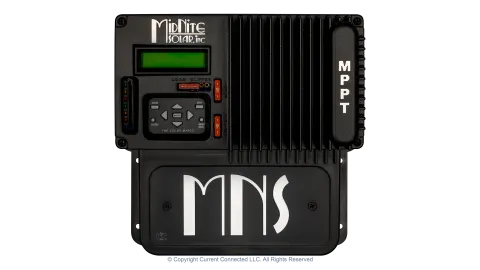
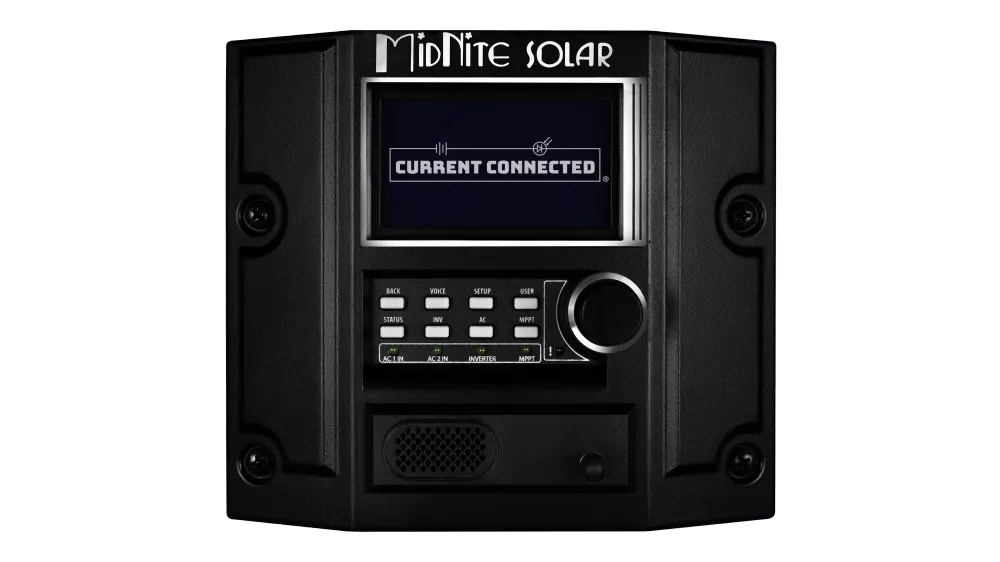
MidNite Solar MNGP2 Talking Graphical Control Panel and Display, Programming Module for MidNite Solar Devices

$184.45
In stockShips from Baton Rouge, LA30-day warrantyFrom delivery, on eligible productsFree shippingProcessing 1 business day after payment; delivery about 2–7 business days after dispatch

Check local voltage, plug, installation, and product-certification requirements before ordering. We confirm compatibility and availability for your destination before payment.

Overview

More than a display, the MidNite Solar MNGP2 is the controller that coordinates every device on a MidNite CAN bus. It receives lithium battery limits from the BMS and passes them to inverters and charge controllers. Rosie owners without a Barcelona or Hawke's Bay controller need one to program their system.

Planning a system? Read our guide: How to charge a portable power station with solar panels.

Key benefits

  • It handles battery communication so each device does not need to speak the battery's protocol.
  • Settings configured on the first device are adopted by others on the same network.
  • Voice alerts help during commissioning and troubleshooting.

Key features

  • Rotary dial with push button and graphical LCD
  • Programs charge parameters, AUX relay modes, generator start logic and input limits
  • Talking alerts with five verbosity levels and configurable quiet hours
  • Required for commissioning parallel Rosie stacks
  • Required to set up and display WhizBang Jr. shunt data

Ideal use

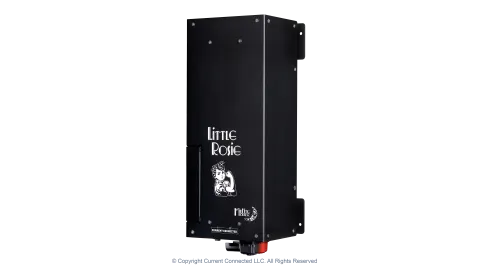
Rosie or Little Rosie systems without a Barcelona or Hawke's Bay controller, or as a second remote display in a more accessible location.

Key specifications

Model / SKU
MNGP2
Brand
MidNite Solar
Category
Solar panels

From the manufacturer

About the MidNite Solar MNGP2 The MNGP2 is more than a display. It’s the system controller that ties a MidNite Solar installation together. Every device on the MidNite CAN bus (Rosie inverters, Barcelona and Hawke’s Bay charge controllers, WhizBang Jr. shunts, and compatible lithium batteries) reports to the MNGP2, and the MNGP2 coordinates them. The most important thing it does is manage battery communication. When a lithium battery BMS is connected to the CAN bus, the MNGP2 receives the battery’s real-time current and voltage limits and distributes those constraints to the inverter and charge controllers. The individual devices don’t need to speak the battery’s protocol directly. The MNGP2 handles the translation and pushes global charge and discharge limits to each device on the network. This is what makes MidNite’s lithium integration work as a system rather than a collection of independently configured boxes. Programming and Configuration The MNGP2 is where you set up everything: charge parameters, float and absorb voltages, equalization schedules, AUX relay modes, generator start logic, input current limits, and all other programmable settings across every connected device. A rotary dial with push button navigates the menu structure, and the graphical LCD displays real-time data from each device individually or as a system overview. When the first device on the CAN bus is configured, additional MidNite devices connected to the same network automatically adopt those settings. If a device from a different system is integrated, the MNGP2 prompts you to choose which configuration to apply. This means multi-device systems (two Rosies in parallel, a Rosie with a Barcelona, etc.) don’t require manual configuration of each unit individually. Voice Alerts The MNGP2 talks. It announces errors, warnings, and menu descriptions out loud through a built-in speaker. Five verbosity levels let you dial it in: off, errors only, errors and warnings, first-time menu messages, or everything. Configurable quiet hours keep it from waking you up at 2am over a non-critical warning. During commissioning and troubleshooting, turning voice to full is genuinely useful, especially when you’re head-down in a wiring compartment and can’t see the screen. When You Need a Standalone MNGP2 The Barcelona and Hawke’s Bay charge controllers have an MNGP2 built into them. If your system includes either of those controllers, you already have one, and it controls the entire CAN bus network including connected Rosie inverters. You need a standalone MNGP2 when your system has a Rosie (or Little Rosie) without a Barcelona or Hawke’s Bay. The Rosie has no built-in display or programming interface of its own. The MNGP2 is also required for commissioning parallel Rosie stacks. You may also want a second MNGP2 as a remote display mounted in a more accessible location. SOC Monitoring with the WhizBang Jr. The MNGP2 is required to set up and display data from MidNite’s WhizBang Jr. DC shunt. The WhizBang Jr. monitors current flow into and out of the battery bank and calculates state of charge (SOC%). The MNGP2 displays this data and uses it to coordinate charge staging and generator start logic across the system. Without a WhizBang Jr. connected, SOC-based automation features are not available.

Warranty terms mentioned in this description are the manufacturer’s. Our own coverage is the 30-day limited warranty.

Before you order

We confirm compatibility, installation requirements, and delivery details with you during order review, before any payment. Home electrical work may require a qualified installer.

Ask our team whether your MidNite system already has an MNGP2 built in or needs a standalone unit. Message our team on WhatsApp.

WhatsApp chat